Residential connectivity
Fast home internet, simplified.
Choose Wi‑Fi for fast everyday home internet in covered areas, or choose VSAT for homes where reach matters more than fixed-line availability. Two services, one simple residential path — built around where you live and how you need to connect.
Wi‑Fi packages
Wi‑Fi packages designed around your area.
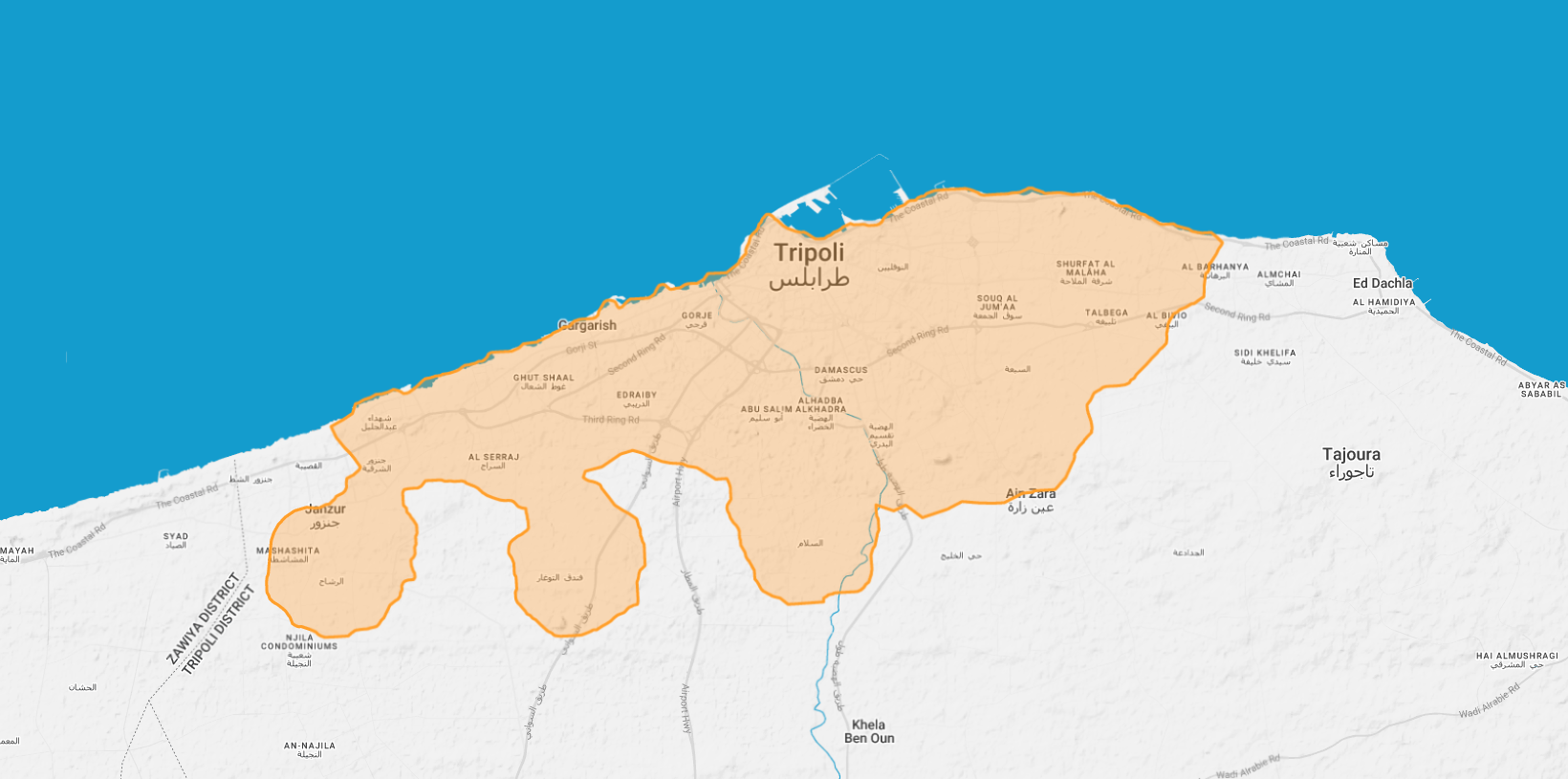
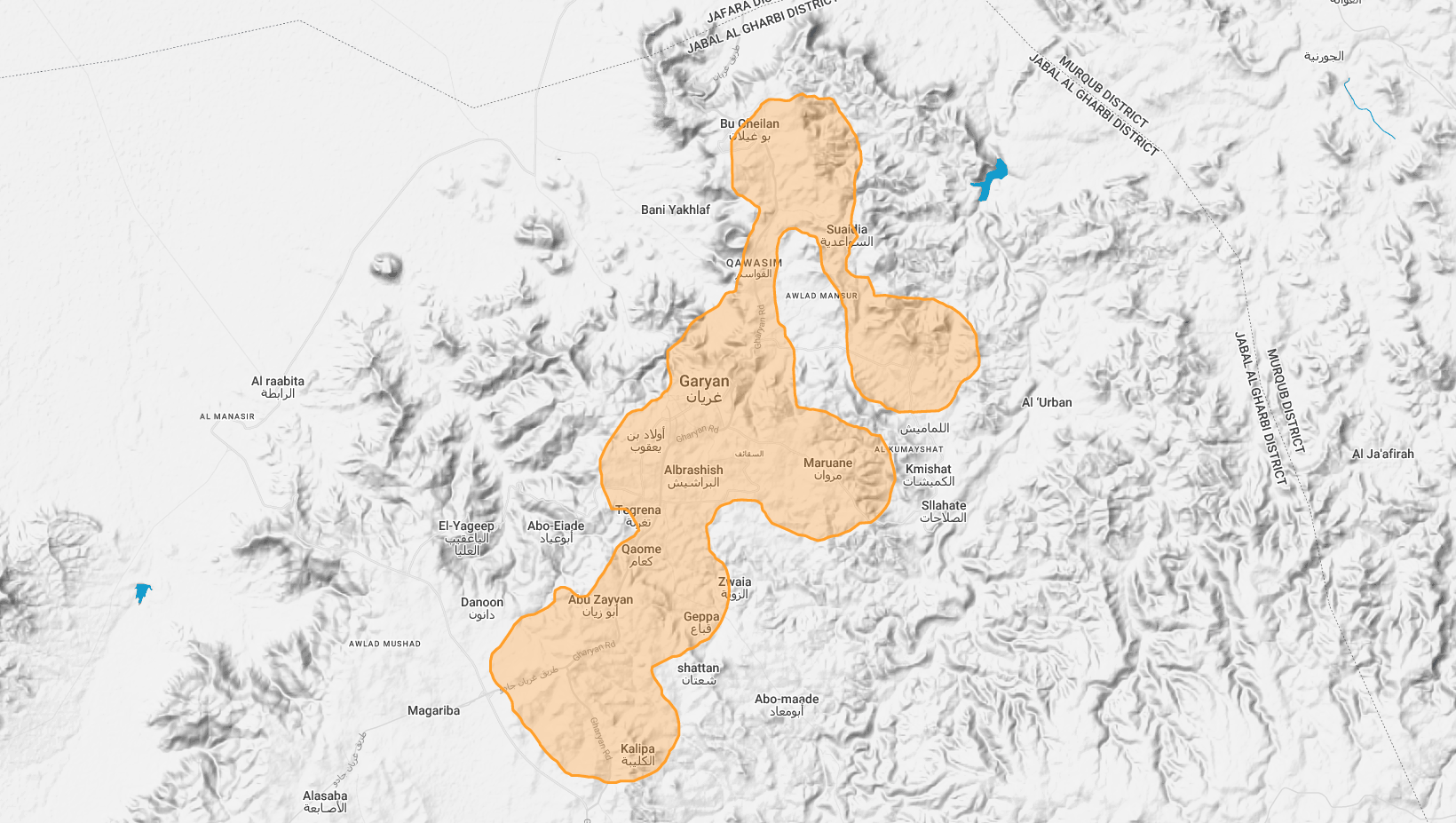
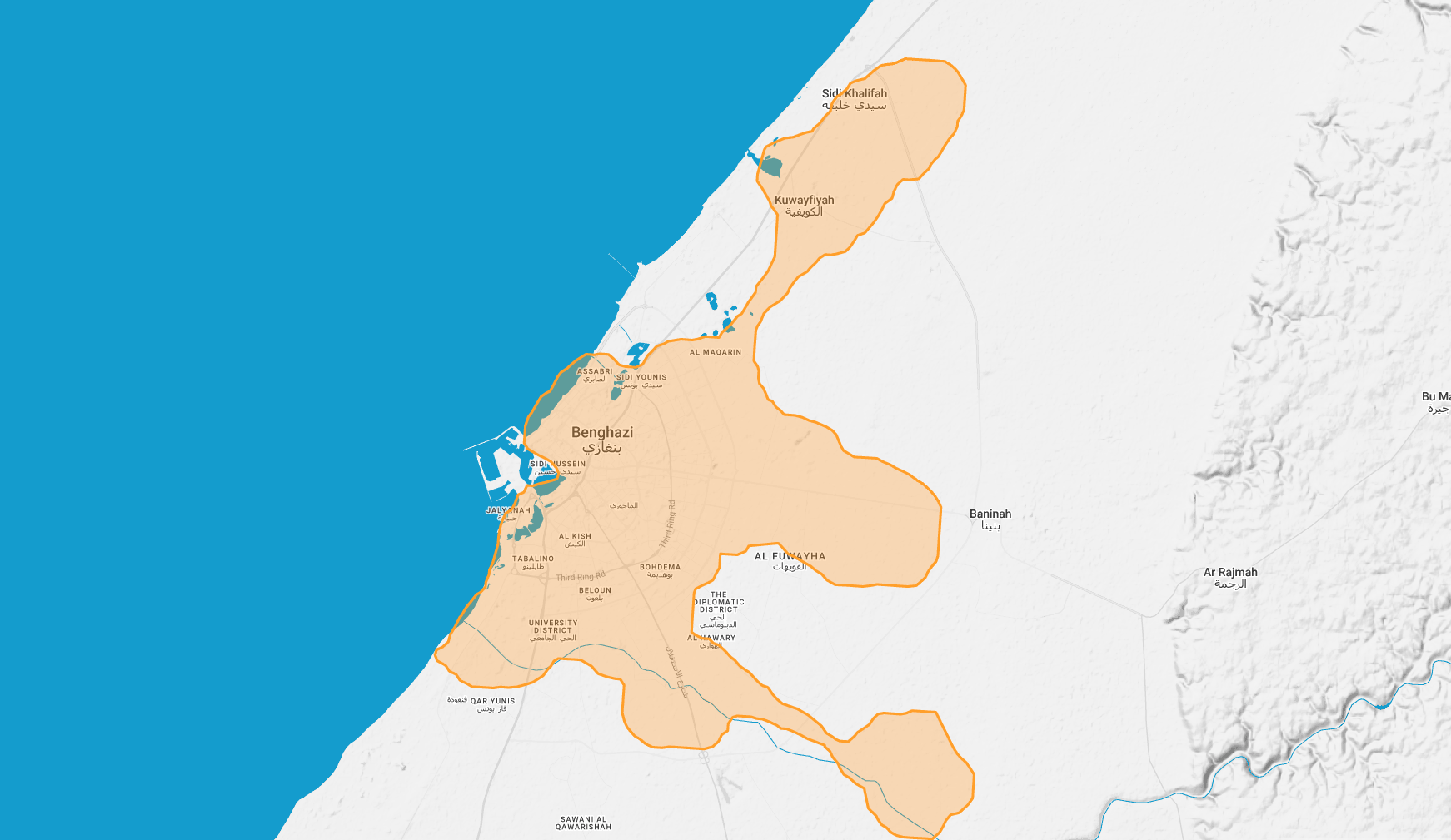
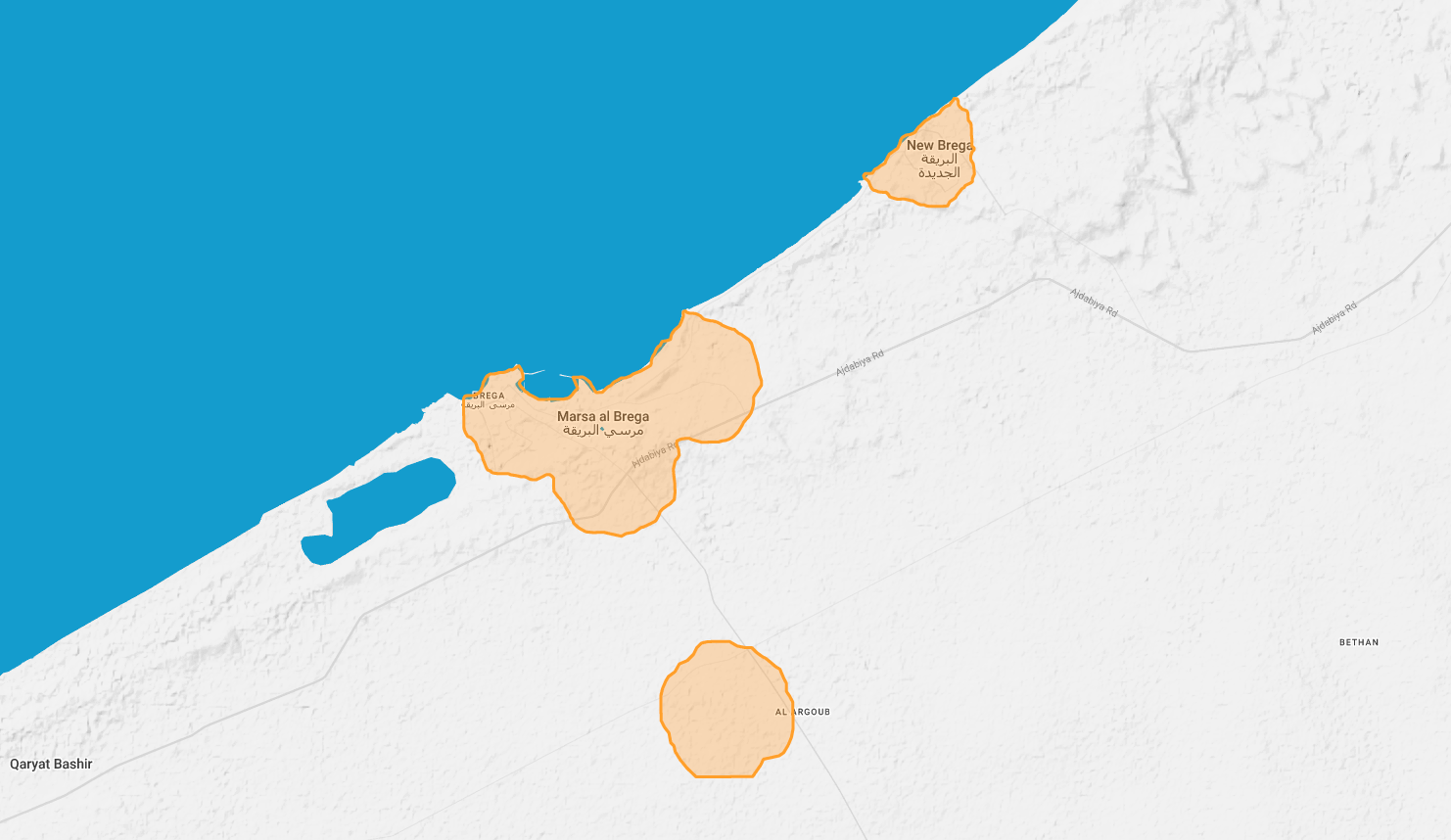
Our Wi‑Fi service uses wireless technology rather than phone lines, making it a straightforward home internet option in covered areas. That means you can get fast, reliable residential broadband whether or not your home has a telephone line. Choose your area, then compare the packages available there.
Tripoli
Freedom 5
EverydayFreedom 10
RecommendedFreedom 20
Higher usageFlex 4
Flex 6
Flex 8
Flex 10
Flex Gamer
Flex infinity 4
Flex infinity 6
RecommendedFlex Go
FlexibleGheryan
Freedom 2
EverydayFreedom 3
Freedom 5
EverydayFreedom 10
RecommendedBenghazi
Flex 6
Flex 8
Freedom 10
Freedom 20
Freedom 25
Flex 30
Flex 85
Flex 150
Flex 230
Flex 400
Brega
Freedom 3
Freedom 5
Flex 8
Freedom 10
Freedom 20
Freedom 25
Flex 30
Flex 85
Flex 150
Flex 230
Flex 400
Musaid
Freedom 3
Freedom 5
Flex 8
Freedom 10
Freedom 20
Freedom 25
Flex 30
Flex 85
Flex 150
Flex 230
Flex 400
VSAT packages
VSAT packages for homes that need wider reach.
Our VSAT service delivers dependable broadband without relying on phone lines, making it a strong option for homes in remote locations or places where conventional internet is weak. All Omega plans share the same core service structure, so the choice comes down to the monthly quota that best fits your household.
Current VSAT consumer plans
Choose the monthly quota that best fits your home.
Omega 30
EverydayOmega 50
RecommendedOmega 75
Most balancedOmega 120
Higher usageVSAT activation
Activate your VSAT service with Viasat TechTools.
After installation, use the official Viasat TechTools app to check modem status and complete service activation.
- Download the Viasat TechTools app for iOS or Android.
- Follow the Viasat TechTools guide for setup and installation steps. Setup guide
- Connect the modem to a wireless router using a cable, then connect your phone to the router by Wi‑Fi.
- Log in to your TechTools account.
- Open Modem Status and confirm the modem is online.
- Once the modem is online, open Service Activation and follow the remaining steps.
App and tutorial
Download TechTools before activation.
The Viasat TechTools app is available for both iOS and Android. The official RLTT VSAT page also includes the video tutorial for the activation flow.


Order residential service
Choose a package and request your installation from this page.
Select any package above. The form below updates automatically so the residential journey stays simple: compare, choose, then send one clear request.
Support & FAQ
Help for residential customers.
Download the key support documents, then choose between VSAT and Wi‑Fi questions to find the guidance most relevant to your service.
PDF guide
VSAT Activation Guide
Step-by-step activation guidance for VSAT customers.
Open PDFPDF guide
VSAT Troubleshooting Guide
Checks for modem lights, dish alignment, cable issues and connection errors.
Open PDFPDF guide
Network Management Policy
How RLTT manages usage and service quality across the network.
Open PDFVSAT support questions
What is Tooway / VSAT?
Tooway is a two-way high-speed satellite broadband service. Receive and transmit functions are handled through the satellite, so no telephone line is required.
How fast is the home VSAT service?
The home service offers speeds up to 20 Mbps download and up to 6 Mbps upload. Actual performance depends on network load, public internet conditions and the application or protocol being used.
Can I use VSAT with a wired or wireless network?
Yes. You can connect a wired or wireless router to the VSAT terminal so several computers, phones or other devices can use the connection at home.
Do I need a telephone line?
No. VSAT does not require cable or phone lines, which is why it is useful for locations where conventional access is weak or unavailable.
Can I install the VSAT equipment myself?
Self-installation is possible for customers comfortable with DIY work. RLTT also provides certified installation support, with conditions varying by location.
Why can ping responses seem slow on satellite?
Ping is not treated as priority traffic by the network management system and satellite links naturally involve longer signal travel. Web traffic may perform better than ping results suggest.
What happens if I exceed my monthly data allowance?
If the full-speed allowance is exceeded, the connection may be throttled. Customers can buy booster data or move to a higher tariff where applicable.
Can I use VSAT for VPN or office access?
Some VPNs work, but IPSec VPNs may require a static public IP address. Customers should check requirements with their IT team and speak to RLTT before ordering for business-critical use.
Wi‑Fi support questions
What hardware is supplied with RLTT Wi‑Fi?
RLTT supplies two pieces of hardware: an outdoor CPE/AP antenna and an indoor Wi‑Fi access point router.
Is the first installation free?
Yes. The first installation is free. Onsite support after the initial free installation may be chargeable.
How do I find the MAC address on the outdoor antenna?
Flip over the outdoor CPE/AP, remove the cover, and look next to the RJ45 connector. The MAC address and other device information are printed there. Replace the cover when finished.
Is my location covered?
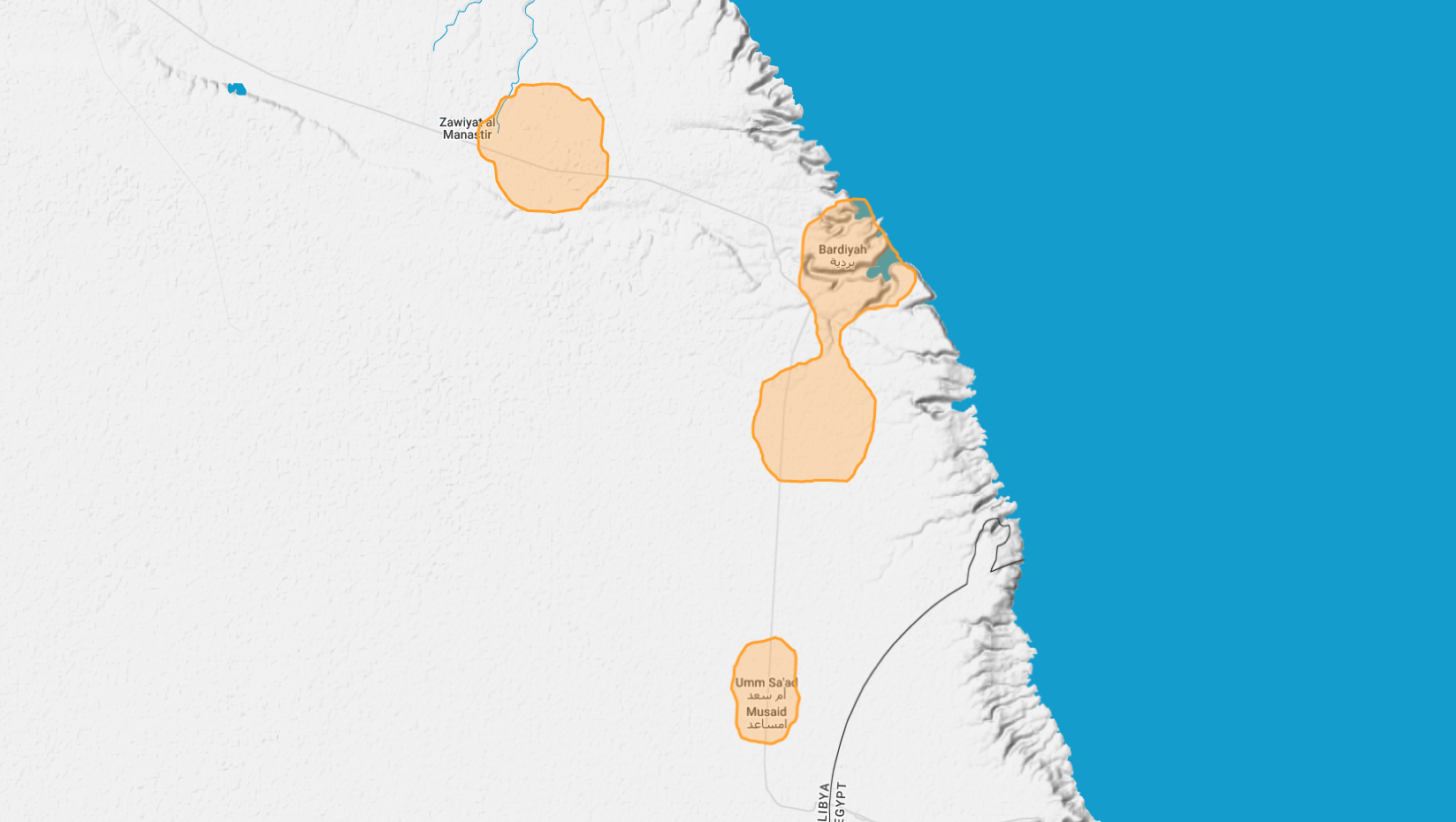
Coverage depends on your area. Check RLTT’s Wi‑Fi coverage information, then choose the closest city or service area when submitting a request.
What Wi‑Fi packages are available?
Available packages depend on whether Wi‑Fi service is offered in your area. The current page lists available residential package examples by city.
Can I upgrade or downgrade between packages?
Yes. For example, customers can move between Flex packages by using the voucher card for the new package once the current monthly subscription expires.
Can I use Wi‑Fi with a wired or wireless internal network?
Yes. You can connect computers and wireless devices through your Wi‑Fi router.
Can I play online games with Wi‑Fi?
In principle, yes. Performance still depends on your package, location, network conditions and the type of online game.